


Key Takeaways
- Medical alert systems (PERS) are wearable or stationary devices that connect seniors to 24/7 monitoring centers; they are safety tools, not medical devices, and do not replace emergency services.
- Five leading providers offer monthly monitoring between $27.95–$47.95, with fall detection add-ons ($5–$10/month) and equipment fees ($100–$200 one-time); all offer no-contract monthly billing.
- Fall detection accuracy varies; AARP’s 2026 testing found automatic detection works 72% of the time and has helped 30% of users in actual emergencies.
- GPS tracking is available on mobile and smartwatch models; original Medicare does not cover PERS, but some Medicare Advantage plans, Medicaid, and VA benefits may help offset costs.
- Avoid long-term contracts, verify 24/7 US-based monitoring, and test trial periods (typically 15–30 days) before committing.
Why Medical Alert Systems Matter for Seniors
Falls are the leading cause of injury death among adults 65 and older. In 2024, according to CDC fall prevention data, falls caused over 43,000 deaths in that age group and sent about 4.5 million older adults to emergency departments. That’s not a fringe risk — it’s a near-daily reality for families navigating aging at home.
Fall deaths among adults 65+ in 2024
43,000 deaths
Million ED visits for older adult falls in 2024
5 million
Age-adjusted fall death rate in 2024 (per 100,000)
78 per 100k
Source: CDC Older Adult Fall Prevention Data, September 2026
The age-adjusted fall death rate for adults 65 and older rose 21% between 2018 and 2024 — from 64.7 to 78.4 per 100,000. That trend is one reason families are increasingly weighing safety tools alongside decisions like in-home vs. nursing home care. Medical alert systems are one layer of that planning — not a cure, but a meaningful way to reduce the window between a fall and getting help.
Life Alert is the name most people recognize, largely from decades of advertising. But Life Alert does not publish pricing or contract terms on its website, which makes side-by-side comparison difficult. This article covers five providers where features, pricing, and terms are publicly documented.
What Medical Alert Systems Do (and Don’t Do)
A medical alert system — called a personal emergency response system (PERS) by the Centers for Medicare & Medicaid Services (CMS) — is a device that connects a user to a 24/7 monitoring center when they press a button or when automatic fall detection triggers an alert. Most include two-way voice communication. Some add GPS tracking and smartphone companion apps.
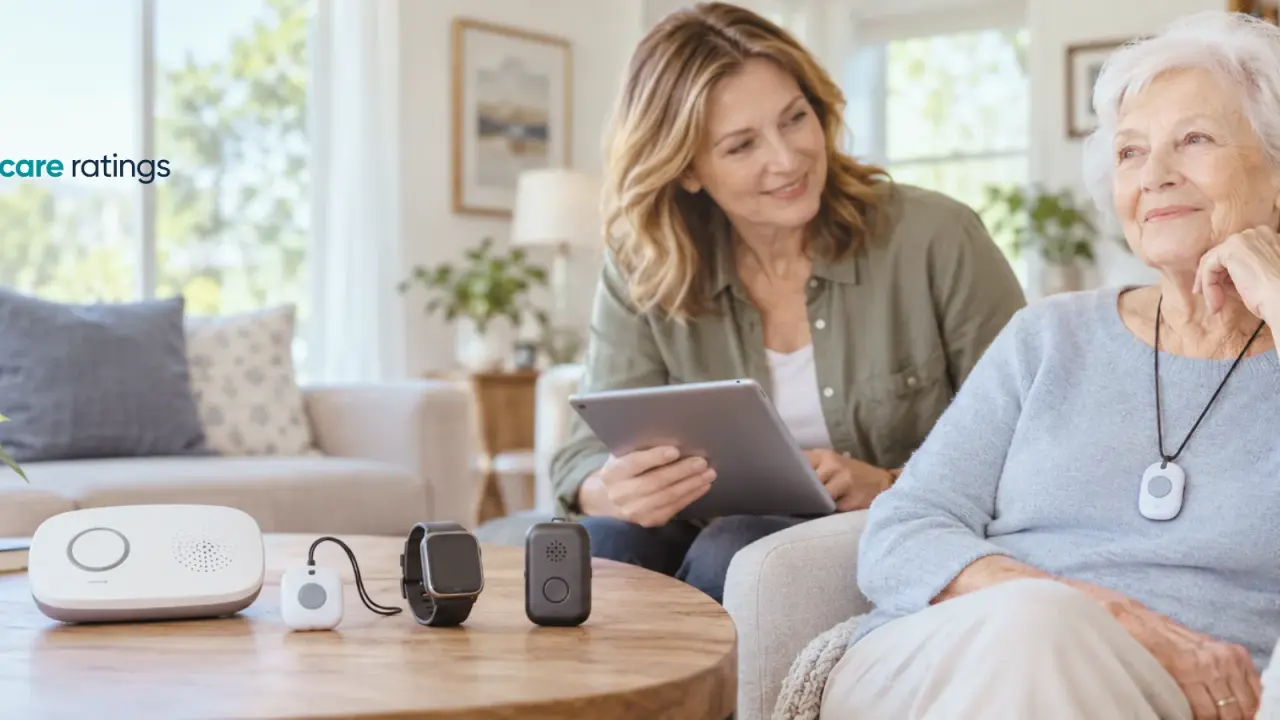
According to AARP, devices generally fall into three categories: at-home units (a base station plus a wearable button, typically with a range up to 1,000–1,400 feet), GPS-enabled mobile devices worn outside the home, and GPS-enabled smartwatches.
These are consumer safety tools, not FDA-regulated medical devices. They do not diagnose or treat any condition. They do not replace 911 or emergency medical services. When the monitoring center receives an alert, a trained operator assesses the situation and can contact emergency responders, family members, or both — but the device itself provides no medical care. Families should treat a medical alert system as one part of a broader safety plan, not a standalone solution.
How We Chose These Providers
This comparison is based on AARP’s independent testing of more than 20 medical alert systems, published and updated in September 2026. To qualify for inclusion here, a provider needed to meet all of the following criteria as of September 2026:
- Publicly available pricing and feature documentation on the provider’s own website or in AARP’s verified product reviews
- Verifiable 24/7 US-based monitoring described in product materials
- No-contract monthly billing option available to consumers
- A trial period allowing returns before full commitment
- Documented fall detection capability (automatic, not manual-only)
Life Alert and Philips Lifeline are familiar names in this space. Life Alert does not publish pricing or contract terms publicly; publicly available sources report multi-year contracts, but specific terms cannot be verified from current product pages. Philips Lifeline (now operating under the Lifeline brand through Connect America) could not be fully documented from whitelist-approved sources within the research window. Both are excluded from the ranked comparison for that reason — not because of product quality, but because transparent, verifiable data was unavailable.
Pricing reflects published rates as of September 2026. Rates vary by location and plan; a personalized quote from each provider is required before purchase.
1. Medical Guardian — Best Overall
Medical Guardian earned the top overall rating in AARP’s 2026 testing for a combination of range, response speed, and app support.
Who it’s for
Seniors who want a reliable home system with the option to add mobile coverage and a caregiver-facing app (MyMedicalGuardian).
Strengths
- At-home range of 1,400 feet — one of the longest tested
- Average monitoring response time under 30 seconds
- No long-term contract required
- Optional automatic fall detection for $10/month
Limitations
- Equipment fees of $149.95–$199.95 are among the higher upfront costs in this group
- Monthly monitoring runs $38.95–$42.95, above Bay Alarm and Medical Alert
- Fall detection is an add-on, not included
2. Bay Alarm Medical — Best Value
Bay Alarm Medical posted the fastest call response time in AARP’s testing — 22 seconds for the SOS Home device — and the lowest starting monthly price among the five providers.
Who it’s for
Cost-conscious families who want proven response speed and don’t need an extensive caregiver app.
Strengths
- Starting monthly monitoring at $27.95 (at-home, landline) or $34.95 (cellular)
- Fastest tested response time at 22 seconds
- 95% of surveyed customers satisfied with monthly cost
- Fall detection add-on available for $10/month
Limitations
- Trial period is 15 days — shorter than the 30-day standard offered by most competitors
- At-home range of 1,000 feet, below Medical Guardian’s 1,400 feet
3. LifeStation — Best GPS Accuracy
LifeStation stood out in AARP testing for location precision: GPS pinpointed the tester’s location to the specific apartment number. Both its Pearl and Sidekick devices detected all 12 test falls.
Who it’s for
Seniors who spend time outside the home and need reliable GPS location — particularly those whose families want precise location data in an emergency.
Strengths
- GPS accuracy was the best tested, locating users to apartment-level precision
- Fall detection add-on at $8/month, below the $10 industry average
- Monthly monitoring from $38.95–$50.95
- 93% of surveyed users report feeling more independent with the device
Limitations
- No dedicated caregiver app; location lookup requires SMS
- Higher-tier plans push monthly cost above $50
4. LifeFone — Lowest Fall Detection Cost
LifeFone offers the lowest fall detection add-on price tested — $5/month, compared to the $10 industry standard. It also charges no equipment or activation fees and backs devices with a lifetime warranty.
Who it’s for
Seniors for whom fall detection is a priority but budget is a constraint, and who value straightforward pricing without upfront fees.
Strengths
- Fall detection add-on at $5/month — lowest among providers tested
- No equipment fees, no activation fees, lifetime warranty
- 30-day risk-free trial
- Monitoring operators received perfect professionalism scores in AARP testing
- 95% of surveyed users said the device made it easier to stay in their own home
Limitations
- Monthly monitoring of $41.95–$47.95 is the highest starting price in this group
- May not be the right fit for those who want to minimize monthly costs over upfront costs
5. Medical Alert by Connect America — Best Smartwatch Option
Medical Alert, owned by Connect America, offers a smartwatch that detected all 12 test falls and achieved top GPS tracking scores in AARP’s testing. Its battery life of up to 2 days is approximately double the average for alert-category smartwatches.
Who it’s for
Seniors who prefer a watch form factor over a pendant or wristband, and want fall detection and GPS in a single device.
Strengths
- Smartwatch detected all 12 AARP test falls and aced GPS tracking
- Battery lasts up to 2 days — roughly double the alert-watch average
- Monthly monitoring at $37.95–$39.95
- Companion app (Medical Alert Connect) included at no extra charge
Limitations
- Home System at-home range is 800 feet — shorter than Medical Guardian (1,400 feet) and LifeStation (1,300 feet)
- One-time equipment fees: $99.95 for the Home System, $159 for the Smartwatch
- Fall detection add-on is $10/month
Pricing and Fall Detection Comparison
All five providers offer no-contract monthly billing. Starting prices are for entry-level at-home plans; mobile or smartwatch plans typically cost more. According to AARP’s April 2026 survey of 300 medical alert users, 45% reported paying $25–$50/month — a range that covers four of the five providers at their base rates.
Fall detection add-ons run $5–$10/month across this group. In the same AARP survey, 72% of users said fall detection worked as expected, and 30% said it helped during an actual fall. That 72% figure means automatic detection is not foolproof — manual button activation remains important regardless of which plan a family chooses.
Equipment fees range from nothing (LifeFone) to $199.95 (Medical Guardian’s top device). When comparing total cost, add the one-time equipment fee to 12 months of monitoring and fall detection to get an accurate first-year picture.
Key Features to Compare: Device Type, Fall Detection & GPS
Three features drive most purchase decisions for wearable alert systems for seniors: device type, fall detection, and GPS capability.
Device type shapes daily use. At-home base-station systems work well for seniors who are primarily homebound; mobile and smartwatch devices extend coverage anywhere with cellular service. AARP’s device guide identifies three categories: at-home units, GPS mobile devices, and GPS smartwatches. Most providers offer more than one form factor at different price points.
Fall detection is automatic on most systems when purchased as an add-on. The sensor detects a sudden change in motion consistent with a fall and alerts the monitoring center without requiring the user to press a button — important when a fall causes loss of consciousness. According to AARP, about 40% of survey respondents said GPS tracking was an important purchase factor; fall detection ranked similarly. Detection is not 100% reliable; some falls are not detected, and some non-fall movements can trigger alerts. Button activation should always be the backup.
GPS tracking matters most for seniors who leave home regularly, or for those living with dementia who may wander. GPS-enabled devices locate users anywhere with cellular coverage. For families supporting a person living with dementia, GPS capability can be a deciding factor — see when to move to memory care from assisted living for broader context on monitoring and care transitions.
AARP guidance recommends avoiding long-term contracts and looking for a minimum 30-day trial period. Monthly fees across the industry typically run $20–$70 depending on features and device type.
Medicare, Medicaid & Cost Assistance
Original Medicare — Parts A and B — does not cover medical alert systems. According to Mutual of Omaha’s Medicare guidance, CMS does not classify PERS as medically necessary durable medical equipment (DME), which is the threshold for Medicare coverage. That classification is unlikely to change in the near term.
Some Medicare Advantage (Part C) plans include PERS as a supplemental benefit. Coverage terms vary by plan and by state, so it’s worth checking the specific plan’s Evidence of Coverage document. Some state Medicaid programs cover PERS for eligible low-income adults, and VA benefits may help offset costs for veterans. FSA and HSA eligibility for PERS purchases depends on your specific plan’s qualified medical expense rules. Contact your plan administrator or tax advisor before assuming the cost qualifies. For related coverage questions, see Medicare dental coverage for seniors as an example of how supplemental benefits vary by plan.
If cost is a barrier, ask the provider directly whether Medicaid or VA billing is accepted before purchasing.
What to Look For When Choosing a System
The right system depends on where the senior spends most of their time, what their mobility looks like, and how involved family members want to be. A few practical checkpoints:
- No long-term contracts. All five providers here offer month-to-month billing. Avoid any system that requires a multi-year commitment without a clear cancellation policy.
- Trial period length. Look for at least 30 days. Bay Alarm Medical offers 15 days; the others in this comparison offer 30.
- 24/7 US-based monitoring. Verify that the monitoring center operates around the clock and is based in the United States. This should be stated explicitly in the product materials.
- Fall detection as an add-on, not a replacement. Even with automatic detection, the user should know how to press the button. Detection adds a layer — it doesn’t remove the need for user awareness.
- Caregiver app access. If a family member wants to check location or receive alerts, confirm whether the app is included or costs extra.
- Range at home. If the senior lives in a larger home, prioritize devices with 1,000+ foot range. Medical Guardian (1,400 feet) and LifeStation (1,300 feet) lead here.
- Equipment fees vs. monthly cost trade-off. LifeFone charges no equipment fees but has the highest monthly base rate. Bay Alarm Medical has the lowest monthly rate but a shorter trial period. Calculate total first-year cost before deciding.
These conversations are easier when families have already talked about safety preferences and care boundaries. If that discussion hasn’t happened yet, talk to aging parents about retirement and care offers a starting framework.
Common Questions About Medical Alert Systems
Are medical alert systems covered by insurance?
Original Medicare Parts A and B do not cover PERS. According to Mutual of Omaha, some Medicare Advantage plans include PERS as a supplemental benefit — but coverage depends entirely on the specific plan. Some state Medicaid programs and VA benefits may apply. FSA and HSA funds are another option. Check with your plan directly before assuming coverage.
How fast do monitoring centers respond?
Response times vary by provider and time of day. In AARP’s 2026 testing, Bay Alarm Medical’s SOS Home responded in 22 seconds. Medical Guardian averaged under 30 seconds. These are testing conditions; real-world times may differ. A faster response time is better, but any response under 60 seconds is generally considered industry-standard.
Can I cancel if I change my mind?
The five providers in this comparison advertise no-contract monthly billing options. However, cancellation terms and conditions vary by provider and plan. Before signing up, read the product agreement carefully—specifically sections on cancellation, billing cycles, prorated refunds, and equipment returns.
Important: This article provides general information about medical alert systems, fall detection, and cost assistance programs. It is not financial, legal, or tax advice. Eligibility rules, benefit amounts, program details, and tax treatment of FSA/HSA purchases vary by state, plan, and individual circumstances, and change frequently. Before making decisions about Medicaid coverage, tax-advantaged account use, VA benefits, long-term care planning, or estate matters, consult a licensed elder law attorney, tax professional, or financial advisor who specializes in senior care.
Sources cited in this article:
- Centers for Disease Control and Prevention — Falls Among Older Adults: https://www.cdc.gov/falls/about/index.html
- Centers for Disease Control and Prevention — Older Adult Fall Prevention Data and Statistics: https://www.cdc.gov/falls/data-research/index.html
- Mutual of Omaha — Medicare Coverage for Medical Alert Systems: https://www.mutualofomaha.com/advice/medicare/medicare-coverage/medical-alert-system
- AARP — Best Medical Alert Systems (Smart Picks, September 2026): https://www.aarp.org/caregiving/home-care/best-medical-alert-systems/
- AARP — Best Medical Alert Systems with Fall Detection: https://www.aarp.org/caregiving/home-care/best-medical-alert-systems-with-fall-detection/
- AARP — Medical Guardian Review (August 2026): https://www.aarp.org/caregiving/home-care/medical-guardian-review/
- AARP — Bay Alarm Medical Review (September 2026): https://www.aarp.org/caregiving/home-care/bay-alarm-medical-review/
- AARP — LifeStation Review (September 2026): https://www.aarp.org/caregiving/home-care/lifestation-review/
- AARP — LifeFone Review (September 2026): https://www.aarp.org/caregiving/home-care/lifefone-review/
- AARP — Medical Alert Review (September 2026): https://www.aarp.org/caregiving/home-care/medical-alert-review/
- AARP — How to Choose a Medical Alert System (August 2026): https://www.aarp.org/caregiving/home-care/medic-alert-systems-options/
- Last updated: September 24, 2026
- Article reviewed by: TheCareRatings editorial team